
Why do office buildings have poor mobile signal?
We've all experienced it, you'll be on a call, great connectivity outside but the moment you walk indoors things start to get funky. Garbling, glitching, or empty silence doesn't exactly sell confidence that your business is running a tight ship.
If staff pacing the footpath every time their phone rings doesn't seem a bright way to run your business, you might need a fix. Let's have a quick look at why phones have such a hard time indoors.
Modern materials block signal
You might be thinking that you don't remember things being this bad, and you're not wrong. The challenge is twofold: how we use our mobiles today is vastly different from years past, and the materials used to construct modern buildings are more insulative than ever – blocking not just heat and cold, but signal too.
In days gone by, phones were used for simple text and calling. This meant the network operator could use narrow, low frequency transmissions that could travel deep into buildings. As mobile connectivity has become central to the way we communicate, the pressure on the mobile network has resulted in operators using wider bands at higher frequencies to handle the demand.
In terms of materials, one of the major offenders is low-emissivity "Low-E" glass which has a metallic coating to minimise heat transfer through windows. It does this by blocking electromagnetic wavelengths in the UV and Infrared ranges. An unintended consequence is that it blocks all other wavelengths as well. At a common 4G frequency (2100 MHz), plain glass reduces signal strength by about 1.4 dB for a 6 mm window pane, compared to about 25 dB attenuation for a typical 20 mm pane. That's a 200-fold reduction, enough to turn 5 bars of signal into about 1 bar.
Comparing older brick buildings to modern concrete & steel construction, a 178 mm brick wall loses about 10 dB of signal. A modern office building constructed with reinforced concrete (203 mm thick) incurs a loss of about 35 dB for the same 2100 MHz frequency range. Again this shift towards efficient construction has resulted in a 200x reduction, or a 99.5% loss of signal power.
Another common pitfall particularly in Australia has been the surge in aesthetic metal façades. It's increasingly common to see laser cut or venetian-style metal panelling on new builds, however with both steel and aluminium of even a few millimetres exceeding 100 dB loss, this results in major connectivity issues.
Towers aren’t built with your desk in mind
4G-5G towers are optimised for broad outdoor coverage, highways, suburbs, CBD streetscapes - not for penetrating reinforced concrete or wrapping around a multi-storey office. The signal you get indoors is usually just whatever’s left over after bouncing down the street and in through the window.
In dense areas, antennas are often down-tilted to avoid overshooting the streetscape, which means the higher you go, the more you're relying on fringe signal bleeding in at shallow angles.
And it’s not just weak signal that’s the problem, it’s noisy signal. Tall buildings often sit in the overlapping footprint of multiple towers, each trying to serve the same phone. This can lead to interference, where your device jumps between competing signals or struggles to decode any one of them cleanly.
Lower frequency bands (like 700 MHz) are valuable to push signal long distances and further into buildings, but in urban areas where towers are spaced every kilometre or so, that becomes a problem. The result is signal overlap, cross-cell interference, and high noise floors that erode performance.
Even when “coverage” technically exists, quality can be so bad phones will face call failures and cripplingly slow speeds.
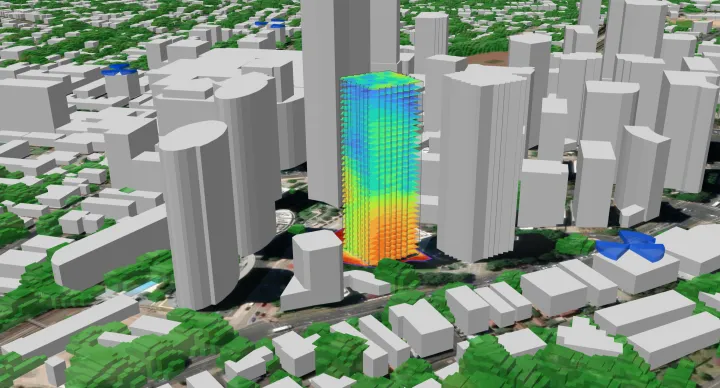
Black spots where safety matters most
It’s one thing for mobile signal to drop in a lunchroom, it’s another when it fails in a lift, stairwell, bathroom, or basement. These are areas in the depths or core of the building, often encased by structural concrete. Lift shafts in particular are notorious black spots due to their metal casing. These are the areas where people are most likely to be isolated, and where access to 000 calling may be what gets someone home to their family.
Australian workplace health and safety regulations require that employees have access to reliable emergency communication, and most modern risk assessments assume mobile coverage as part of that safety net. When it’s not there, you're not just dealing with inconvenience, you’re facing a potential liability.
The expectation today is that mobile phones will work anywhere in the building. When they don’t, responsibility can shift quickly, especially if the issue was raised and left unresolved.
Things you’ve probably already tried (and why they didn’t work)
There are some things you can do to try resolve poor connectivity yourself. We'll talk a bit about when they can work, and when they won't.
WiFi Calling
Voice-over-WiFi (VoWiFi) is a feature on most modern smartphones that allows calls and texts to be routed over a WiFi network provided it meets stringent quality criteria.
It can be a way to provide basic calling and texting to the office floor that reuses your existing WiFi connection. If WiFi calling has been enabled, the staff member's phone will need to be in range of a strong, consistent WiFi connection. A small icon that looks like a phone with a WiFi symbol next to it will display when the connection supports VoWiFi.
The challenge is the same issues that impact the availability of mobile service throughout the building are even worse for the high frequencies used by WiFi. WiFi is generally implemented by each tenant business individually, meaning common areas such as lifts, basements, underground car parks, stairwells, hallways, and foyers are not covered.
Even on the office floor VoWiFi has its quirks. Phones waking from idle frequently miss the first second of audio, often the name of the caller. Moving between access points or transitioning indoors to outdoors can cause dropouts or delays, making conversations feel unreliable and fragmented.
Then there’s access: visitors, contractors, and delivery personnel don’t have access to your internal network, yet your duty of care still applies. Relying on VoWiFi might seem convenient, but it's important to be aware of implications to both safety and professionalism.
Signal Boosters
I've been to a lot of buildings over the years where the business or even individual staff have tried to resolve their signal woes with 4G repeaters (often called boosters). Particularly in the early days, it was common to see units like the Cel-Fi PRO propped up against a window, trying to claw a signal through Low-E glass. Some setups worked a little better where they had an electrician or local comms tech mount an external antenna on the roof.
These can be a way to restore connectivity in a particular room or around a specific group of desks when positioned carefully. But they fall far short of ubiquitous building coverage because they lack the power and distribution mechanism to spread coverage between internal divisions and floors.
There’s also the issue of network compatibility. The repeaters approved in Australia only work with a single mobile provider. In a typical workplace with staff, contractors, and visitors on different carriers, that means someone is always left without coverage, and that’s not a workable solution.
Changing Provider
Some organisations take the drastic step of changing the company's mobile provider in search of better signal.
For larger organisations, having one office or site operating on a separate provider to the rest of the company usually creates more problems than it solves. For organisations of any size, switching often means paying more per month, or losing access to the bundled value that attracted you to your original plan.
And it's rarely a silver bullet. All network operators in Australia use similar frequency bands, which means the same building materials that block one operator's signal will block the others just as effectively. Some mobile networks will seem to work better at one point of the day, but degrade sharply during peak times like lunchtime or after-school hours when the network becomes congested.
If you're considering this route it's important to test thoroughly - get a test SIM, do a full walkthrough at differing times of the day, and being sure to test both signal bars and actual data speed.
IBC: The smarter way to solve office coverage
The correct way to resolve poor mobile coverage in a mid-sized office building is using an IBC - In-Building Coverage system.
IBC are a technology designed to resolve connectivity challenges in factories, commercial buildings, residential towers, warehouses, and other medium-sized spaces that are too large for micro-solutions like repeaters, yet too small for an operator DAS.
An IBC system takes weak signal from outdoors (Telstra, Optus, and/or Vodafone), and boosts it throughout the entire building. A Private 5G network can also be added for dedicated connectivity.
At the heart of an IBC system is a centralised Access Unit, typically installed in the building’s comms room, which looks much like any other rack-mounted IT appliance. From there, fibre or ethernet is run to each level of the building, where one or more Coverage Nodes are installed. Each Coverage Node acts as a Low-Power Active transmitter, delivering strong, stable mobile coverage across its service area.
The Coverage Node will be fed by the technology most suitable for your building, which might involve roof mounted antennas to recover diminished signal from the local tower, or equipment supplied by the network operator like a Small Cell. Axidra professionally designs and coordinates the deployment, including network operator engagement, to deliver a compliant, cost-effective solution that works across all mobile networks.